 +1 (409) 247-5496
 +61 468 036 171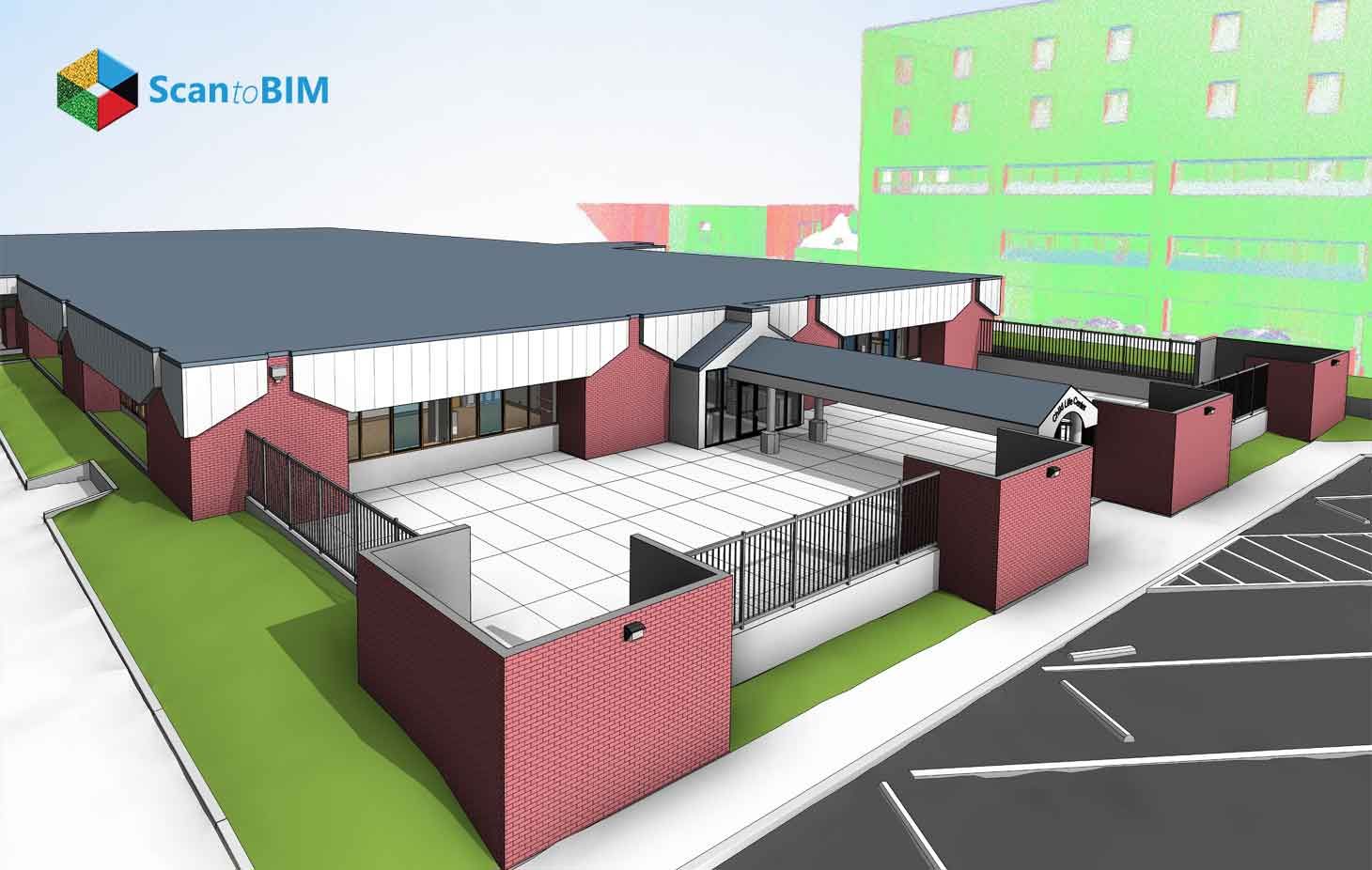
Walk into the facilities office of almost any university built before 1980, and you will find the same thing: stacks of rolled drawings, a handful of CAD files from a long-forgotten renovation, and a building on paper that looks different from the one people actually occupy. Verification trips take weeks. Renovation budgets absorb surprises that accurate documentation would have caught months earlier.
Point cloud to Revit 3D models closes that gap at a scale well beyond what manual surveys achieve. Laser scanning captures millions of spatial coordinates across an entire campus in a fraction of the time a field crew would need. BIM engineers process that data into Revit models: walls where they actually sit, ceilings at their real height, and MEP systems routed as confirmed in the field.
Understanding Point Cloud to Revit 3D Models
Point cloud to BIM services take raw scan data and transform it into structured, parametric building models in Autodesk Revit. Terrestrial laser scanners or SLAM systems sweep each station, recording millions of coordinate measurements. Every point carries an exact X, Y, and Z coordinates, with zero estimation or interpolation.
Autodesk ReCap Pro pulls all individual station scans into one unified point cloud file. BIM engineers link that file into Revit, where it displays as a spatial reference layer. BIM engineers trace structural elements, partition walls, floor slabs, ceilings, and MEP systems from the cloud into intelligent Revit families.
Research confirmed that the ReCap-to-Revit workflow achieves sub-centimeter geometric accuracy across individual building stories under controlled field conditions. For renovation planning where undocumented changes shifted wall positions or dropped ceiling heights, the accuracy of these changes determines what design teams can commit to.
Each modeled element holds dimensional data, material classification, and spatial relationships to adjacent elements. That parametric structure supports facility management, energy modeling, and digital twin development from a single scan campaign.
How Educational Institutions Use Point Cloud to Revit Models
Large university campuses run dozens of buildings, and a meaningful portion dates back before 1970. Aging HVAC systems occupy plenum spaces that original drawings left unrecorded. Structural alterations from past renovations left physical evidence while the record stayed blank.
Scan to BIM for Education Facilities answers that documentation gap by converting scan data into models that reflect what the campus actually looks like today. Facility teams pull from those models across four major operational areas.
Space Planning and Occupancy Management: Room dimensions, corridor widths, and ceiling heights in older academic buildings often deviate from drawings. Revit models give facility managers verified spatial data they can measure directly, compare against code requirements, and use for occupancy tracking, all without sending someone back with a tape measure.
Infrastructure Asset Tracking: Every MEP component in a scan-derived Revit model can carry equipment data, installation history, and maintenance records exported through COBie-formatted spreadsheets. Maintenance scheduling flows from the model rather than from institutional memory.
Capital Planning and Budget Prioritization: Walk a campus director through a federated Revit model, and the budget conversation changes. Cost data attaches to specific model elements. Phased replacement schedules are built from documented conditions rather than site impressions.
ADA Compliance Review: Ramp slopes, doorway clearances, and restroom turning radii all carry specific dimensional standards. Accessibility teams measure those dimensions from Revit geometry and sequence remediation work before construction documents ever start.
Supporting Renovation and Modernization Projects
Renovation projects on older campuses carry real financial exposure. The gap between drawings and field conditions surfaces during construction: walls in the wrong place, ductwork where drawings show clear space, and structural members at heights that clash with new systems.
As-built Revit models sourced from point cloud data pull that exposure into the design phase. Architects receive a model showing actual wall positions, documented structural depths, and MEP paths as installed. Revit's clash detection tools identify conflicts between incoming and existing elements before any field crew arrives on site.
Terrestrial laser scanning reaches sub-centimeter accuracy across smaller building portions, with full building georeferencing landing within a few centimeters under structured survey conditions. Design teams can set interference clearances with real confidence based on this documented accuracy.
MEP system replacement is where this accuracy pays off most visibly in campus modernization work:
- BIM engineers model existing ductwork, piping, and conduit at actual routing paths and dimensions
- Design engineers insert new systems into the coordinated model against documented constraints
- Clash detection reviews identify spatial conflicts before field work begins
- Field crews arrive with a construction sequence already accounting for physical conditions
- RFI volume drops because the design absorbed field reality before going to bid
Enhancing BIM Workflows Across Educational Facilities
Federated BIM on a campus project means structural, architectural, and MEP models working together in one coordinated environment. The point cloud serves as the shared geometric anchor, keeping all three disciplines aligned with the same spatial reality.
Point cloud modeling workflows validated on large infrastructure projects apply directly to campus environments: layered existing conditions, sparse original documentation, and live operational settings that restrict when and where scan crews can work.
Step 1: Field Scanning:
Scanners go into each station first, including survey-grade geometry, MEP routing paths, and structural elements that are captured. Mechanical rooms, stairwells, and utility corridors get dedicated coverage.
Step 2: Point Cloud Registration and Processing:
All station scans come together inside ReCap Pro. Floor zone segmentation and discipline sorting happen at this stage, so data arrives on the right modeling desk ready to use.
Step 3: Revit Modeling Services:
LOD 300 or LOD 350 output comes out of this phase. Structural columns, load-bearing walls, slab edges, beam profiles, and MEP systems all get modeled at documented dimensions pulled directly from the point cloud. New system routing happens within those physical constraints from day one.
Step 4: Coordination and Clash Detection:
Hard clashes and soft clashes between ductwork, piping, structural framing, and architectural elements all carry potential for conflict. Navisworks Manage or Revit's clash tools pull those conflicts into view. BIM managers work through each one inside the model, well ahead of permits.
Step 5: Commissioning Model Handover:
The federated model receives new systems alongside documented existing infrastructure. Commissioning teams check physical installation against model geometry on site. Whatever they find is fed back into the model as verified installed conditions.
Digital Twins and the Future of Campus Management
Campus Facility Management has moved well beyond the point where as-built drawings alone were sufficient. Long asset lifecycles, aging building stock, and tightening energy compliance requirements are pushing educational institutions toward digital twin strategies that connect spatial models to live operational data.
A digital twin on a university campus links a Revit model to real-time data streams from HVAC systems, occupancy sensors, energy meters, and IoT devices. Maintenance dispatch carries spatial context from the model, so technicians know exactly where an asset sits before they leave the facilities office.
A study confirmed that the built environment at the New York University Abu Dhabi campus demonstrated this approach. Researchers embedded average surface temperatures from thermal point cloud data as native properties of architectural elements inside IFC model files. Visualization ran through ArcGIS Pro and ACCA Software GeoTwin, two platforms that put the results in front of practitioners, and the workflow stood up.
Reality capture services give digital twin programs the accurate spatial foundation they require. Educational Scan to BIM workflows deliver the geometric accuracy that makes sensor alignment meaningful. The digital twin grows into a living campus management platform that becomes more useful with every maintenance cycle.
Key Benefits of Point Cloud to Revit Models for Educational Institutions
Across planning, construction, and operations, Point Cloud to Revit workflows produce outcomes facility directors can actually point to on a project report.
- Accurate As-Built Documentation: Floor plans, ceiling heights, and MEP layouts sourced from scan geometry carry verified dimensions from actual conditions. Design teams make decisions faster.
- Reduced Construction Risk: Starting from documented existing conditions takes a real bite out of change order volume. Spatial conflicts between incoming and existing systems show up during coordination, weeks before field work starts.
- Improved Regulatory Compliance: Compliance work gets faster when the geometry already exists in the model. ADA dimensions, fire egress widths, and occupancy load calculations draw from scan-sourced model data, giving teams documented accuracy that outperforms hand drawings across every dimension category.
- Faster Capital Planning Cycles: A federated Revit model with cost data attached to specific elements changes how budget conversations run at the executive level. Phased renovation schedules grow from documented conditions rather than verbal site assessments.
- Extended Asset Lifecycle: Each renovation phase leaves a new layer of documented geometry in the Revit model. Project teams arriving years later work from current conditions, cutting future project startup costs and stretching asset life.
Laser scanning services cover campus buildings regardless of age or documentation history. Scan crews fit into class schedules and operational hours with minimal disruption.
Best Practices for Successful Point Cloud to Revit Projects
Most problems on scan-to-BIM projects trace back to decisions deferred past the planning stage.
- Define LOD Requirements Early: LOD 200 is suitable for schematic design. LOD 300 supports construction coordination. LOD 400 goes to fabrication teams.
- Plan Scanning Access Around Campus Operations: Mechanical rooms, stairwells, and utility corridors all need full scan coverage, and getting there takes advance coordination with facility staff. Early mornings, semester breaks, and weekend windows are where that happens.
- Use Standardized File Naming and Folder Structures: Large scale campus projects stay organized when ISO 19650 naming conventions apply to scan files, point cloud datasets, and Revit models from the start. Every discipline using the same naming logic means federated model assembly goes smoothly.
- Validate Point Cloud Registration Before Modeling Begins: Overlapping scan areas get compared for alignment. Total station control points get verified in the registered dataset. Dimensional errors entering the cloud at this stage affect every element modeled from it.
- Conduct Phased Model Delivery for Large Campuses: Waiting until every building is done puts teams in a tough spot: schedules slip and decisions land on stale data. Building-by-building delivery solves that. Each building model is complete before the next phase begins.
- Maintain the Model After Project Completion: Accurate deliverables at handover are where As-Built Modeling Services finish their scope, and where the facility team picks up. A model that stays current through each project phase holds its value across the full campus lifecycle.
These practices work best when treated as project requirements, not optional steps. Campus teams that set them at kickoff spend less time correcting avoidable problems mid-delivery. The decisions made before a scanner enters the building shape everything that follows. Getting them right the first time is where the real value of a scan-to-BIM project starts.
Conclusion
Educational campuses carry decades of layered physical history that drawings alone leave unresolved. Point Cloud to Revit workflows give facility teams a spatial record that is accurate enough to design from and detailed enough to connect to live operational systems. Facility teams use those models for space planning, capital budgeting, renovation coordination, and digital twin programs, each yielding measurable gains in planning accuracy and construction certainty.
Campus management today calls for digital infrastructure that reflects physical reality. Revit models sourced from reality capture data give every stakeholder a trusted, updatable spatial reference that shifts facility management from reactive scheduling to proactive asset stewardship.